Introduction to CryptPHP: The Ultimate Tool for Protecting Your PHP Source Code
For PHP developers, protecting source code from unauthorized reverse engineering is a constant challenge. Whether you are distributing a commercial plugin or hosting on a shared environment, your logic is often exposed.
For PHP developers, protecting source code from unauthorized reverse engineering is a constant challenge. Whether you are distributing a commercial plugin or hosting on a shared environment, your logic is often exposed. CryptPHP, developed by Mohit Hasan, offers a high-performance, cross-platform solution to obfuscate and encode your PHP projects effectively.
What is CryptPHP?
CryptPHP is a comprehensive obfuscation tool that goes beyond simple encoding. It provides a multi-layer security approach, ensuring that even if someone gains access to your files, the logic remains unreadable and nearly impossible to reconstruct.
Key Features:
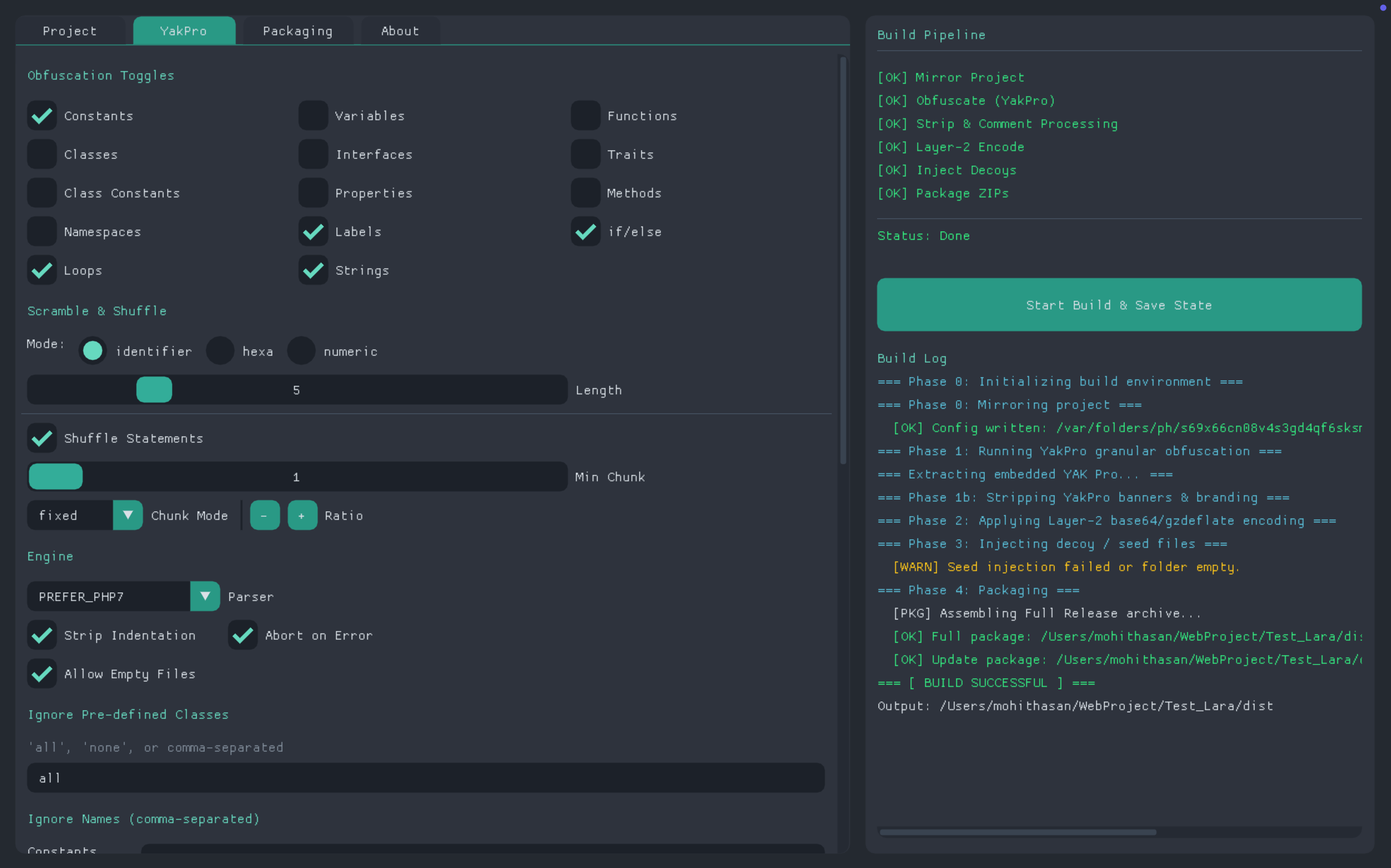
Advanced Obfuscation (Phase 1): Utilizes YakPro-PO to rename variables, functions, and classes while shuffling statements to break logic flow.
Layer-2 Encoding (Phase 2): Adds a secondary layer using gzdeflate and Base64 for core sensitive files.
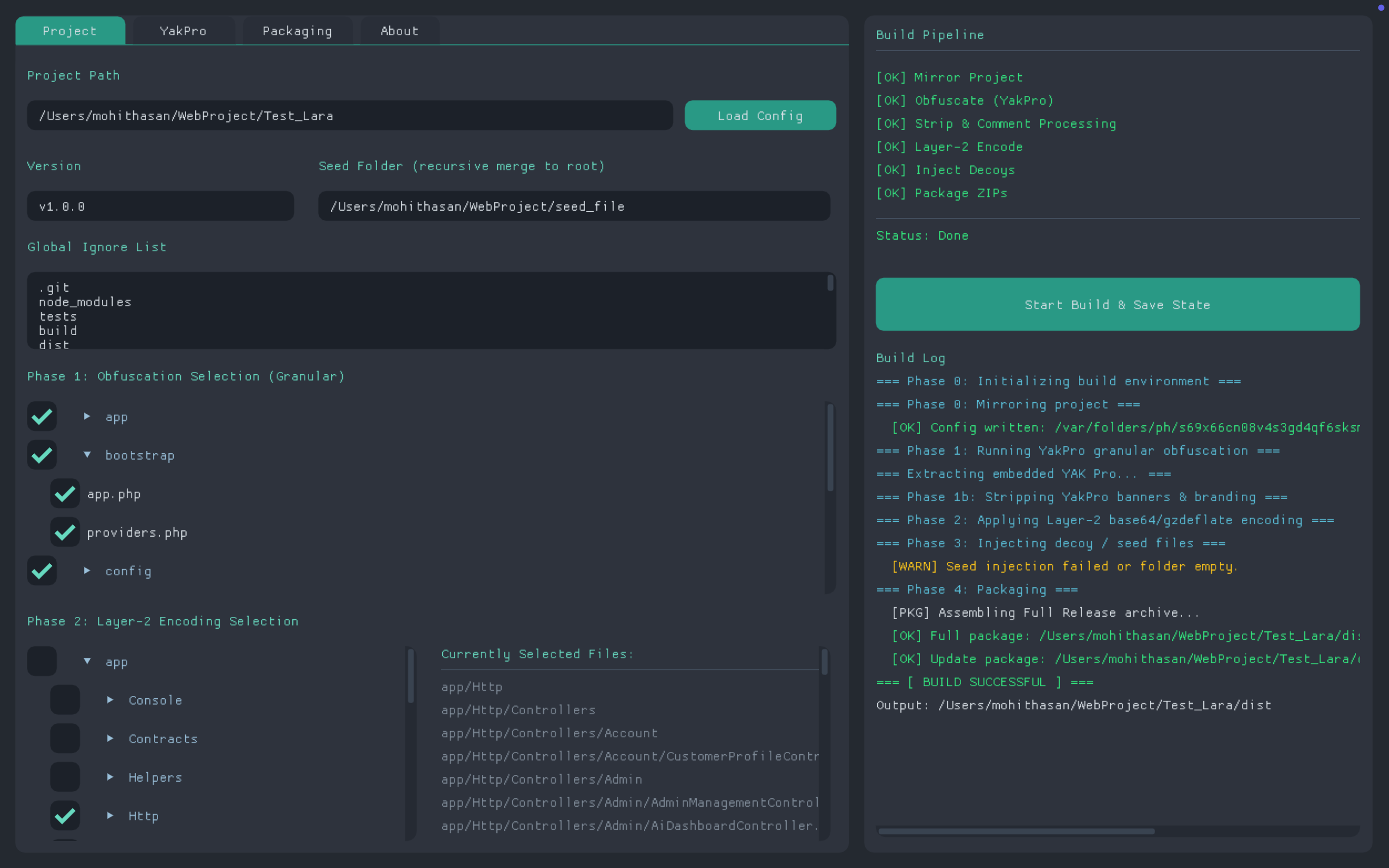
Granular Selection: Features a recursive file tree UI, allowing you to choose exactly which files to protect.
Seed Injection: A unique feature that lets you inject "decoy" files or license traps into your builds to waste the time of potential crackers.
Cross-Platform Support: Available as native binaries for Windows, macOS, and Linux.
Visual Overview
The tool features a clean, professional interface built with Dear ImGui, making it lightweight and fast.
The Project Selection and File Tree UIConfiguring YakPro Obfuscation
User Guideline: Getting Started
Initialization: Open CryptPHP and set your Project Path. Ensure your global ignore list is configured to skip folders like /vendor.
Selection: Use the YakPro tab to toggle the files or directories you wish to obfuscate.
Encoding: For high-security files, navigate to the Layer-2 tab to apply secondary compression and encoding.
Orchestration: Configure your Seed Folder (for decoy assets) and click Build & Orchestrate.
Deployment: Once the process finishes, collect your protected Full Install or Update Patch ZIP files from the dist/ directory.
Downloads & Installation
You can obtain CryptPHP either by building from source or by downloading pre-compiled binaries from the official GitHub repository.
Option 1: Download Pre-built Binaries (Fastest)
Every commit to the repository triggers an automated build. You can find the latest stable binaries here: